
WAN – Command Distribution Tasks
Introduction
Introduction
The Command Distribution Tasks feature allows the remote execution of commands on Windows devices through a centralized ITAM interface.
Commands are sent as standard Command Prompt (CMD) instructions, similar to prompts executed in cmd.exe.
Important limitations:
- PowerShell commands are not supported
- Commands are executed remotely without returning execution output to the console
- The system only reports whether the task was successfully delivered to the target device
This feature is typically used for lightweight automation, diagnostics, and administrative tasks across multiple endpoints.
Requirements
Minimum Agent Version
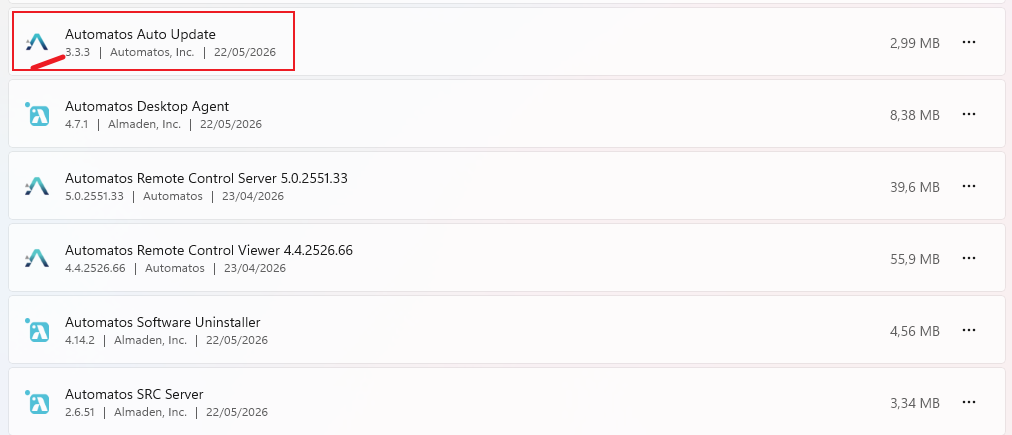
A version of the agent containing the remote distribution modules must already be installed:
- Auto Update version 3.3.3 or higher.
Firewall Requirements
Allow outbound HTTPS communication to:
Env. LAD1: lad1-smartcenter.almaden.app
Env. LAD2: lad2-smartcenter.almaden.app
Port: 443
Supported Systems
- Microsoft Windows clients only (10 or higher).
Creating a task – step by step
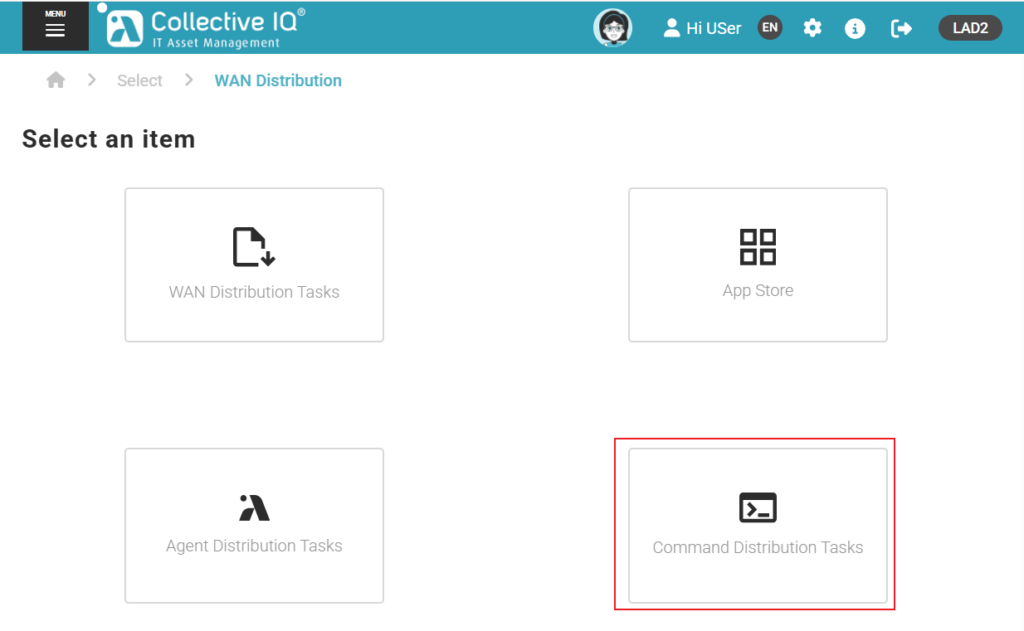
Accessing the Feature
Menu > Remote Management > Wan Distribution > Command Distribution Tasks
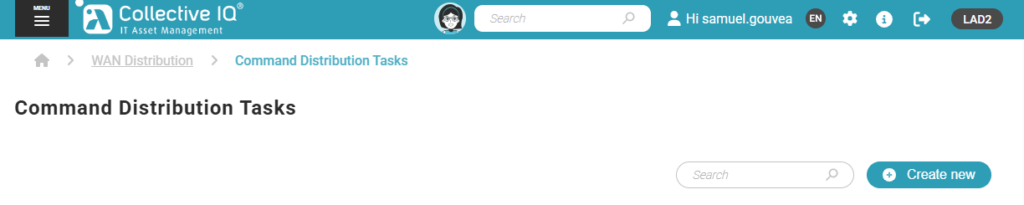
Creating a New Distribution
Click: Create new
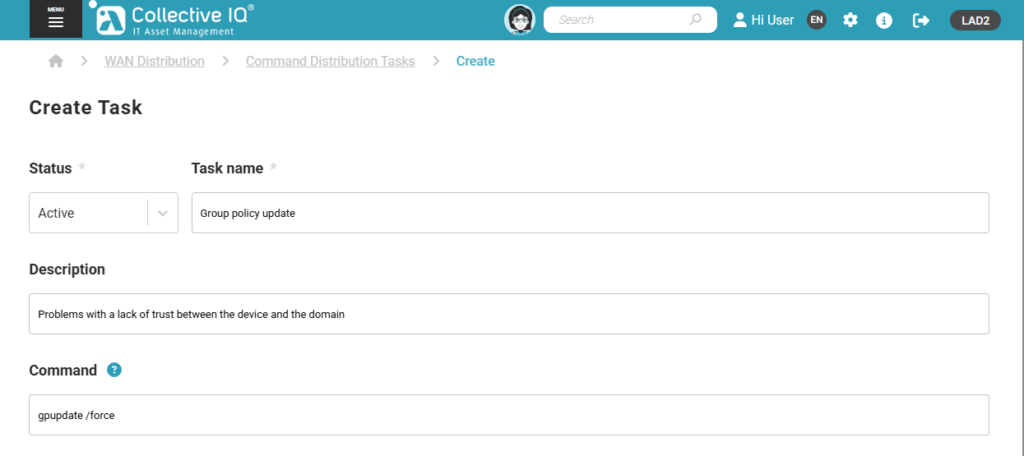
Task Configuration
Status
Define the initial state of the task:
- Active
The task is immediately executed upon saving. - Inactive
The task is saved but will not be executed until manually activated.
Task Name
Define a clear and identifiable name for the command distribution task.
Example:
- Collect system information
- Network diagnostics script
- Disk usage validation
Description
Provide a detailed description of the purpose of the command execution.
This should help administrators understand:
- Why the command is being executed
- What the expected outcome is
- Which devices or departments are targeted
Command
The command field defines the instruction that will be executed remotely on the target devices.
Behavior
- Commands are executed as batch-compatible CMD instructions
- Execution is performed remotely
- No execution output is returned to the ITAM interface
- The system only confirms delivery status (success/failure of task distribution)
Example Use Case
A common usage pattern is to execute a batch-style command that collects system information and saves logs locally on the device.
Example: Collect system information and save to C:\Temp
C:\Temp\system_info.txt
ipconfig /all > C:\Temp\network_info.txt
whoami /all > C:\Temp\user_info.txt
Description of the example:
- Collects system information using
systeminfo - Collects network configuration using
ipconfig /all - Collects user context information using
whoami /all - Saves all outputs locally on the device for later analysis
Important Notes
- Commands must be written in CMD-compatible syntax
- PowerShell scripts or commands are not supported
- There is no real-time output or response returned to the console
- Validation must be done by checking generated files or device-side logs
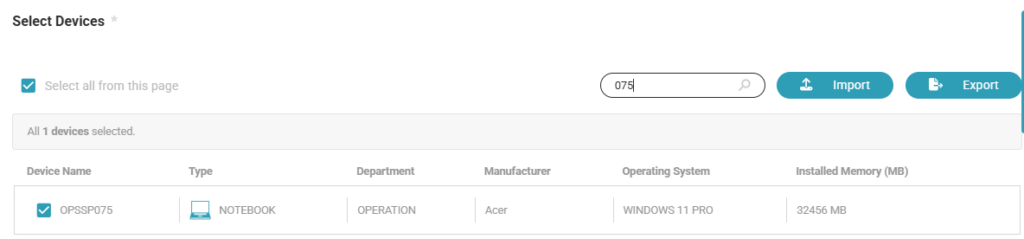
Selecting Devices
Select the department containing the target devices that should receive the command distribution task.
If necessary:
- Search for the department by name;
- Select all desired devices within the department.
This allows centralized command execution across multiple devices simultaneously.
Distribution Scheduling
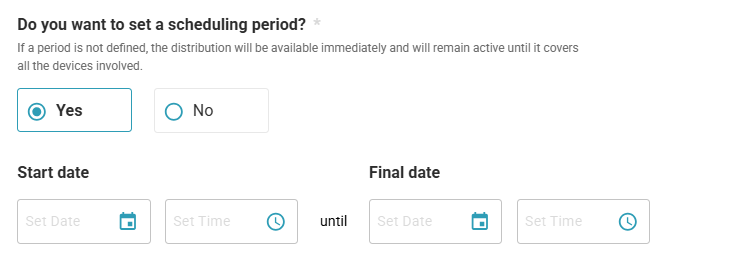
Do you want to set a scheduling period?
If no scheduling period is defined:
- The task becomes immediately available;
- It remains active until all selected devices receive the command distribution.
When selecting Yes:
Define:
- Start date and time;
- End date and time;
During this period, the system will attempt to deliver the command task to the selected devices.
Day and Time Restrictions
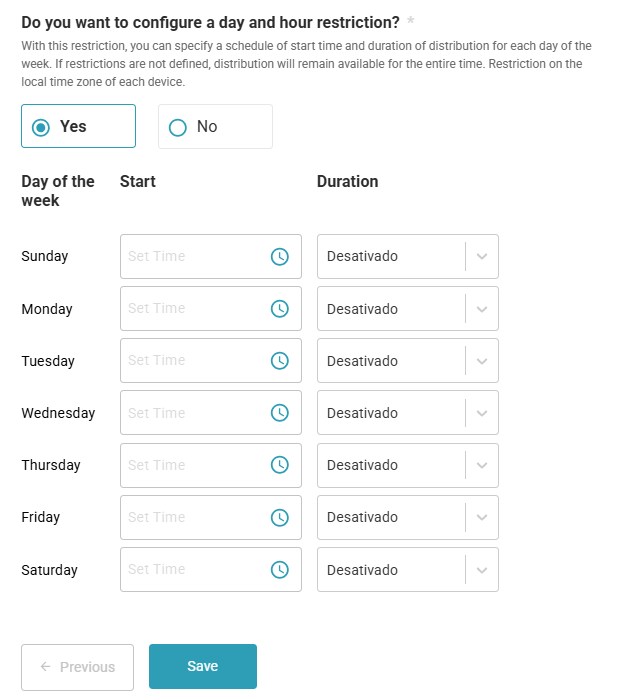
Do you want to configure a day and hour restriction?
This option allows administrators to restrict command execution to specific periods during the week.
When enabled, configure:
- Days of the week;
- Start time;
- Duration window in hours.
If no restrictions are configured:
- The task remains available during the entire configured scheduling period.
Restrictions follow the local time zone of each device.
Saving the Task
After completing the configuration:
- Click Save to create the command distribution task.
Depending on the selected status:
- Active tasks start immediately;
- Inactive tasks remain saved until manually activated.
Distribution Monitoring
Access: Menu > Remote Management > Wan Distribution > Command Distribution Tasks
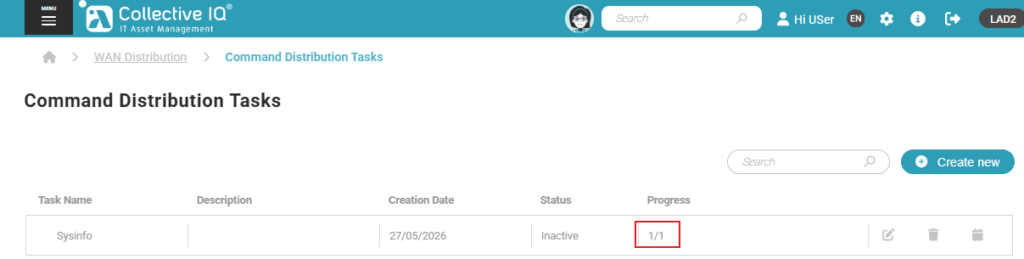
All created tasks are listed and can be monitored.
The task list allows administrators to:
- View task name and description;
- Verify status;
- Monitor delivery progress;
- Identify targeted devices.
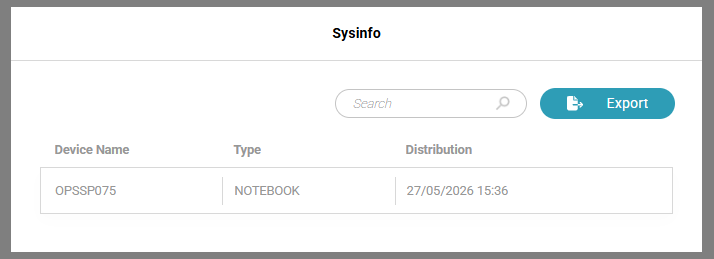
Progress View
By clicking the task progress information:
- A detailed list of devices is displayed;
- Delivery status for each device can be verified;
- Date and time of delivery are shown.
The displayed information can also be:
- Exported to a CSV file for auditing or reporting purposes.
Actions
The action buttons allow administrators to manage the created distribution task.
Available actions:
- Edit
Allows modification of the task configuration, including status, description, relay settings, departments, scheduling, and selected devices. - Delete
Permanently removes the distribution task from the environment. - Schedule
Allows configuring or modifying the task execution period, including scheduling windows and day/hour restrictions.
