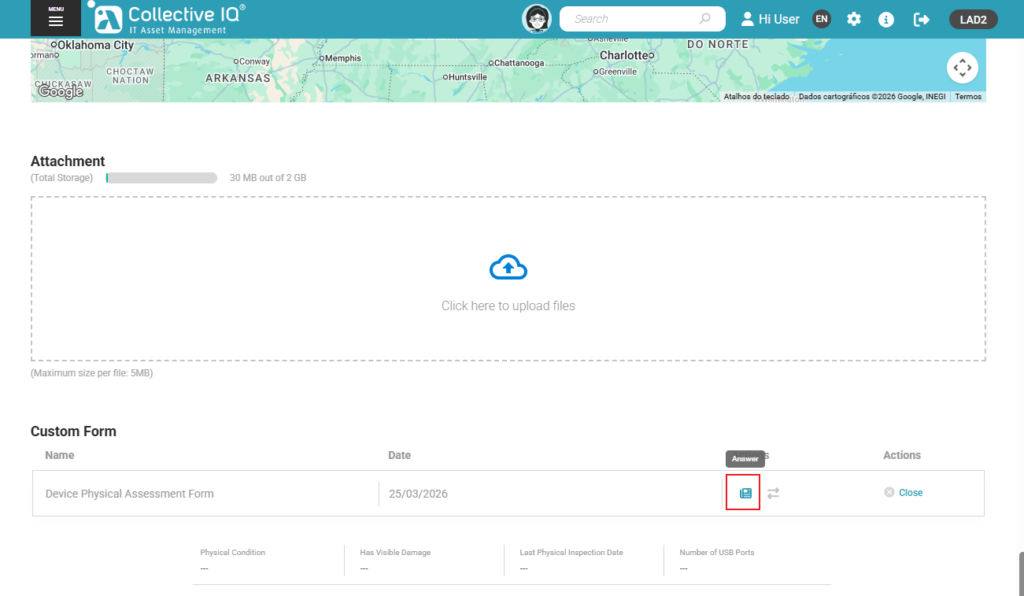
Associate Form
Associate Form
The Associate Form feature allows you to create and link custom forms to devices, users, or departments.
These forms can include specific fields defined by you — such as checklists, technical notes, usage data, or internal requirements.
This feature is essential for standardizing and enriching the collection of information that is not automatically captured by the system. It’s especially useful for audits, compliance control, or managing assets with special characteristics.
In addition, with associated forms, your team can record information in a structured and consistent way, improving data quality and facilitating future analysis.
After creating the custom form, it is necessary to associate it with departments or devices so that they receive the customized fields to be filled out.
Access: Menu > Inventory > Custom Data > Associate Form
Associating devices with forms
Method 1 – After creating the form
- Select Form
- Select devices or departments
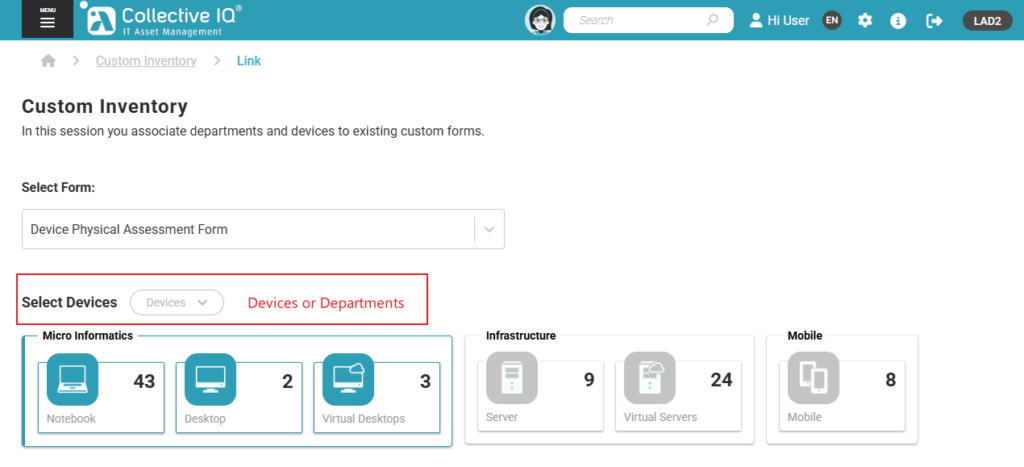
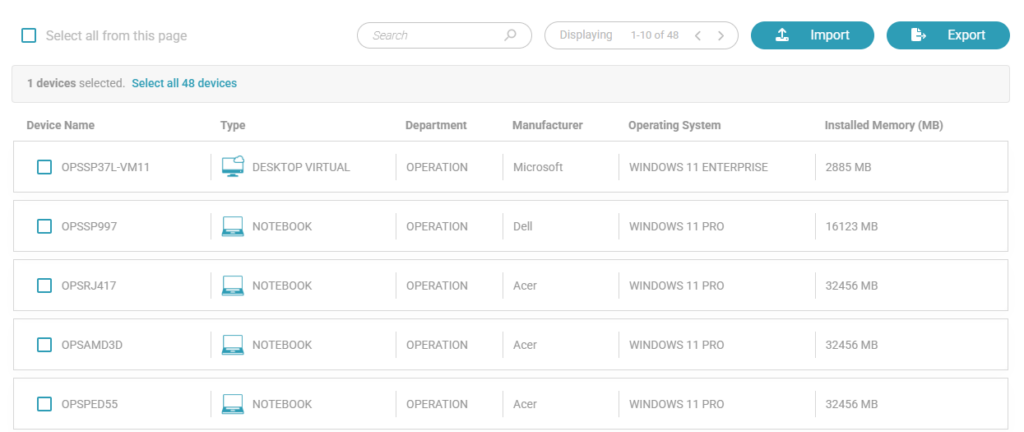
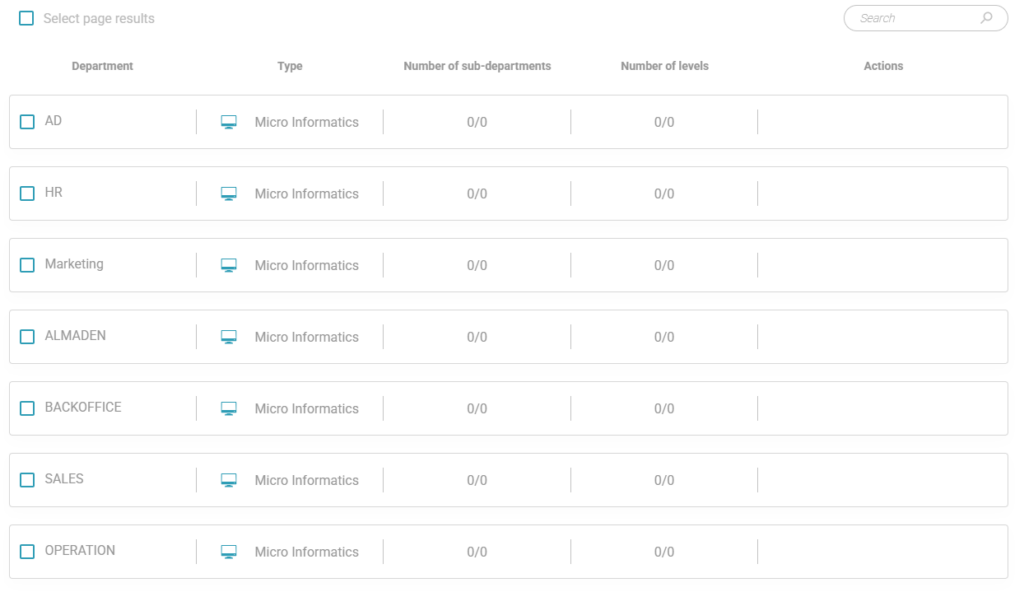
- Save
Method 2 – Device Details
Access: Menu > Inventory > Hardware > Device Details
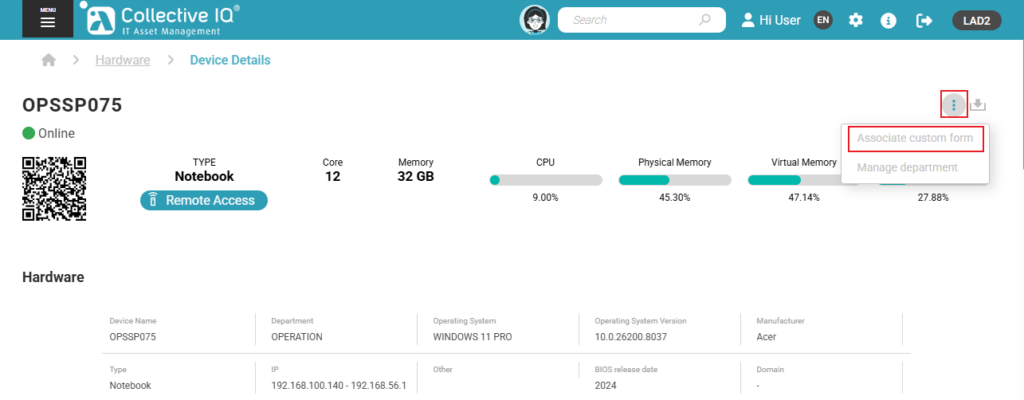
- Search form name
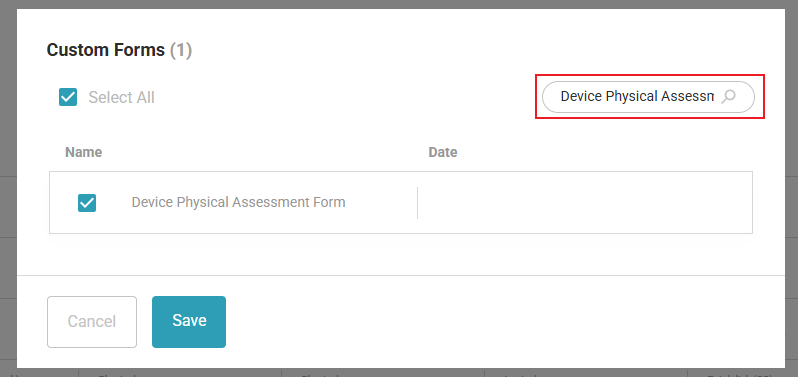
- Save
Filling out the form
Custom Data
Access: Menu > Inventory > Custom Data > Form
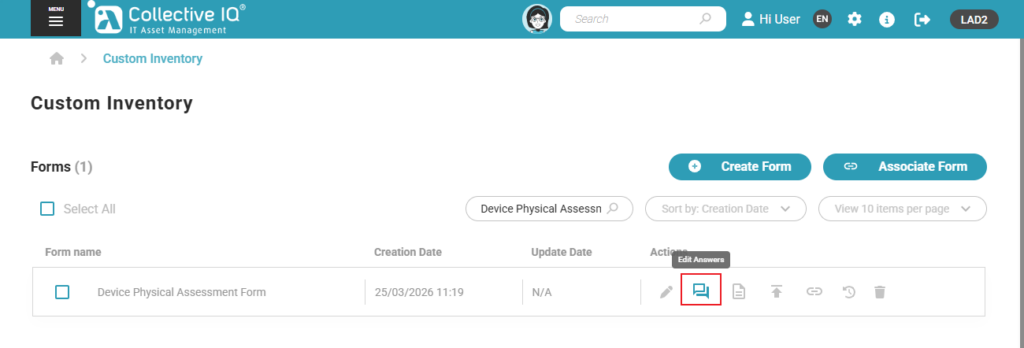
Device Details
Access: Menu > Inventory > Hardware > Device Details