
Lifecycle
Manage Substatus
Manage Substatus
Detailed Control of Equipment States
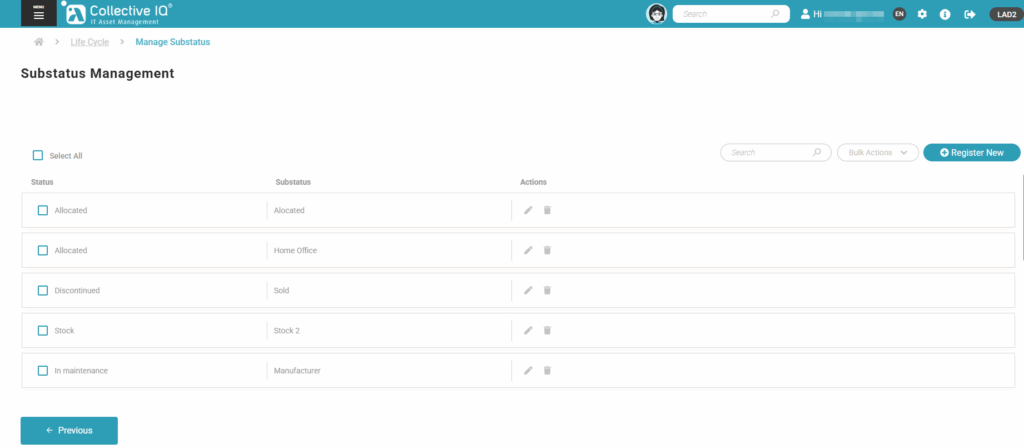
The Manage Substatus module allows you to define and manage specific states (substatuses) of devices in addition to the main status, such as “Under Maintenance,” “Waiting for Parts,” or “In Testing.”
This level of detail in status tracking helps the IT team gain a more accurate view of the actual condition of equipment, making it easier to plan actions, allocate resources, and improve internal communication.
It enhances operational flow, prevents confusion about asset status, and ensures each device receives the appropriate attention based on its current condition. This functionality brings greater control and transparency to technology infrastructure management.
Menu> Inventory> Life Cicle> Manage Substatus
Prerequisites
Prerequisites

- Click “Register New”
Select Status
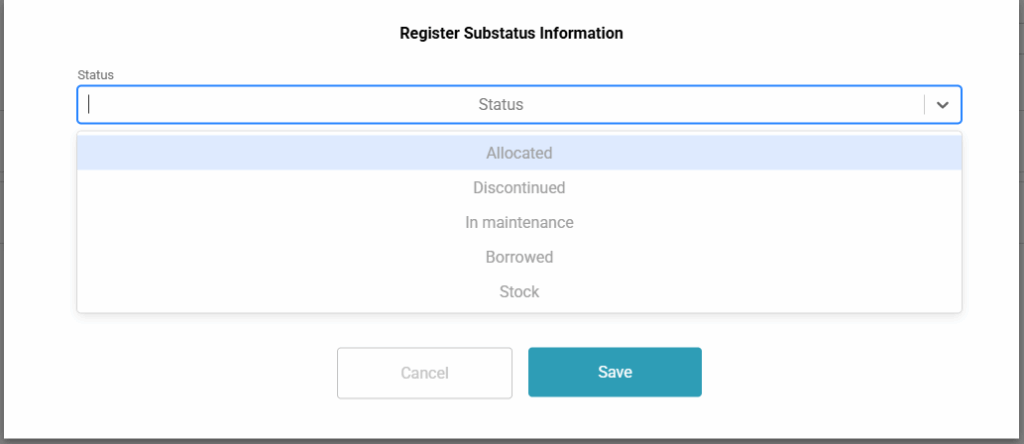
- Select status and add sub status.
- Save
