Reports
Reports
Custom data reports provide greater flexibility and precision in asset management by allowing organizations to track information tailored to their specific needs. Instead of relying only on standard fields, teams can capture additional details such as physical conditions, compliance status, usage patterns, or business-specific attributes.
These reports improve decision-making by offering more relevant insights, enabling better control over asset lifecycle, maintenance planning, and auditing processes. They also help identify gaps, ensure data completeness, and support more accurate and efficient management across different departments.
Access: Menu > Inventory > Custom Data > Form > Report
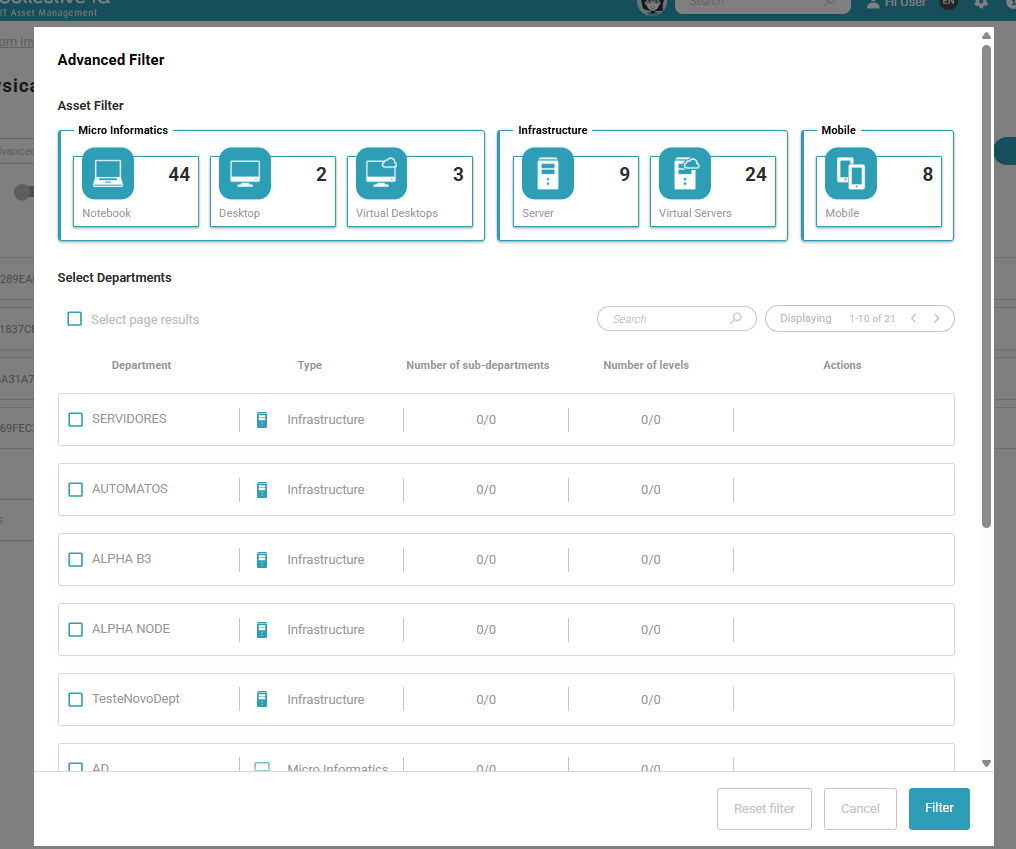
Advanced Filter
Advanced filters help organize report visualization by allowing you to display data from specific departments only, even when the form is associated with the entire environment. This enables more focused analysis, improves readability, and ensures that each team views only the information relevant to their scope.
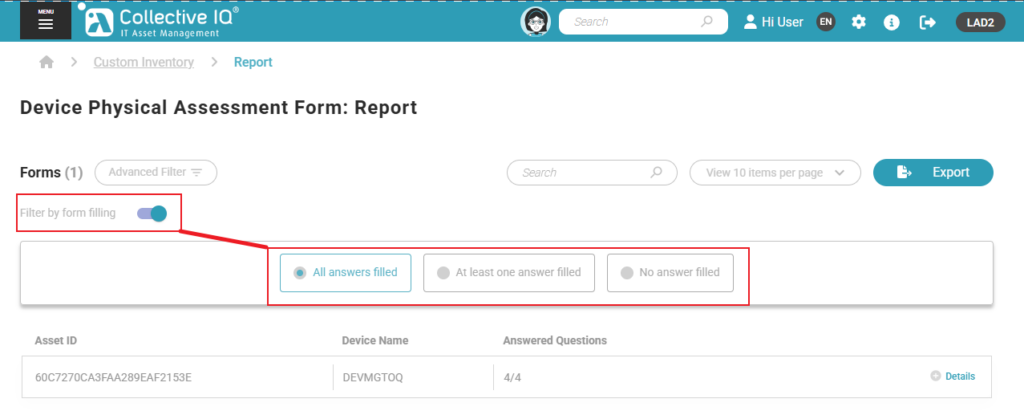
Filter by form filling
Filter data by completion status:
- All Answers Filled: Identifies complete records, ready for reporting or analysis.
- At Least One Answer Filled: Helps locate partially completed entries that may need review or completion.
- No Answers Filled: Highlights empty records, useful for cleanup or follow-up actions.
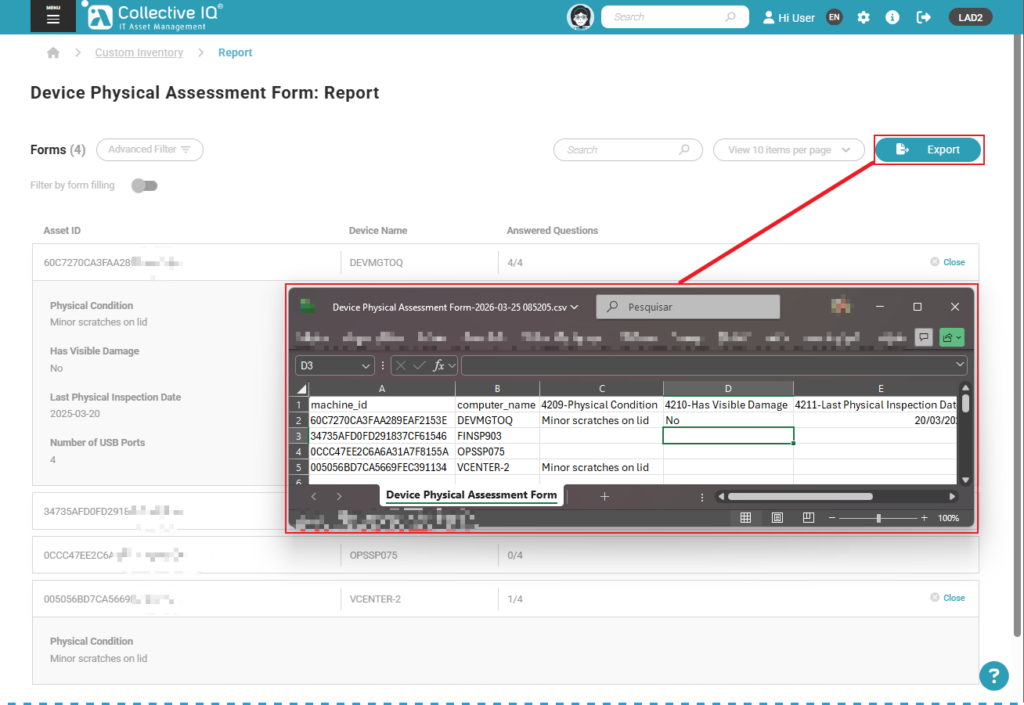
Export data
Access: Menu > Inventory > Custom Data > Form > Export