
Hardware
Hardware Report
Comprehensive Analysis of Physical Equipment
The Hardware Report module generates detailed reports on all hardware devices registered in the system. This includes information such as equipment types, manufacturer, model, processor, storage, RAM, domain, user, operating systems, custom forms, and more.
These reports are essential for managing the technology environment, assisting in preventive maintenance, upgrade planning, and strategic decision-making for the physical IT environment.
Menu> Inventory> Reports> Hardware
How to generate a hardware report:
Step 1 – Create new profile

Create a hardware report
Step 2 – Chose filters
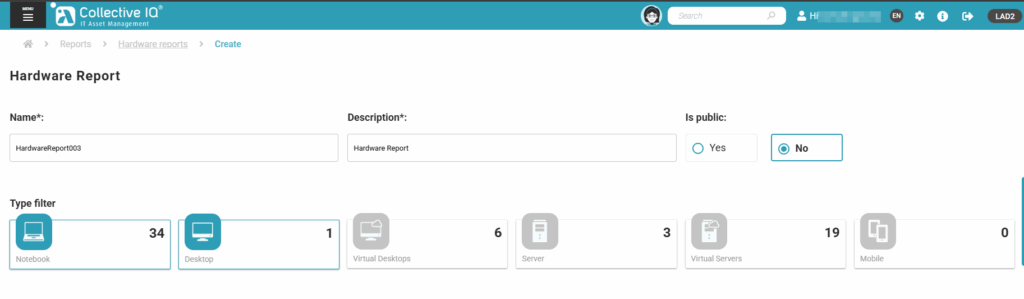
Fill in the fields and select:
- Name: Report name
- Description: Report description
- Is public: Yes or No (Public for others users)
- Type filter: Choose the hardware type. (The filters in step X are common among the selected types)
Step 3 – Departments and devices
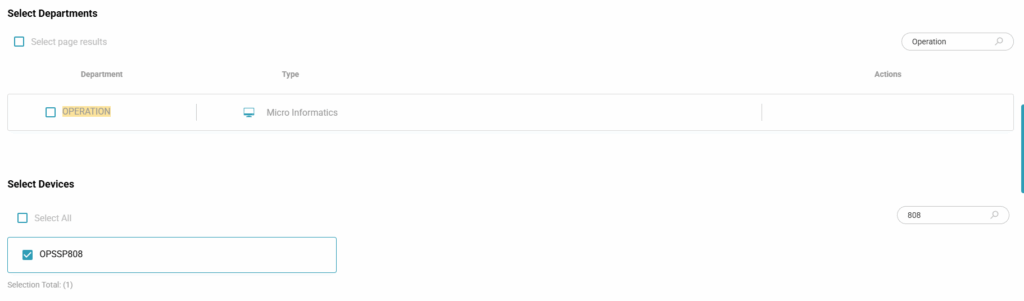
Select the departments or devices that will be included in your report.
Step 4 – Chose Fields will be part of your report
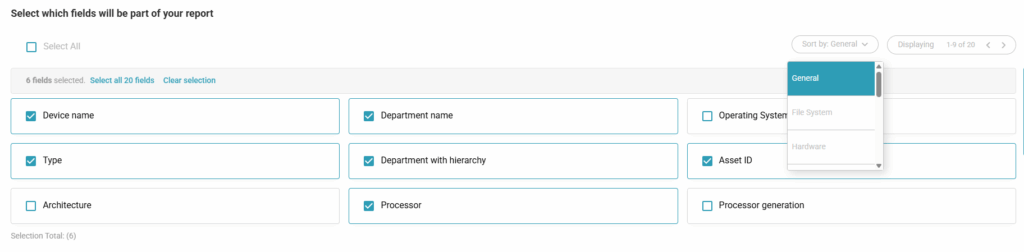
Select the fields that will be part of your report.
Organize to select more options for the report.
Step 5 – Generate Report

- Batch report:
- Yes: Runs a process to generate the “.csv” file for download
- No: Displays the data on a web page, does not provide the file for download.
- Enter Email: Sends an email with the “.csv” attachment after completing the data consolidation.
- Generate Report: Only generates the report and does not save the profile.
- Generate and Save: Generates the command to consolidate the data and saves the report profile.
Step 6 – Batch reports
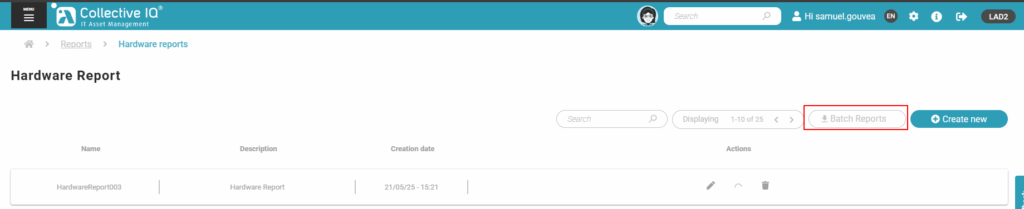
Menu> Inventory> Reports> Hardware
Access “Batch Reports“
Step 7 – Download report
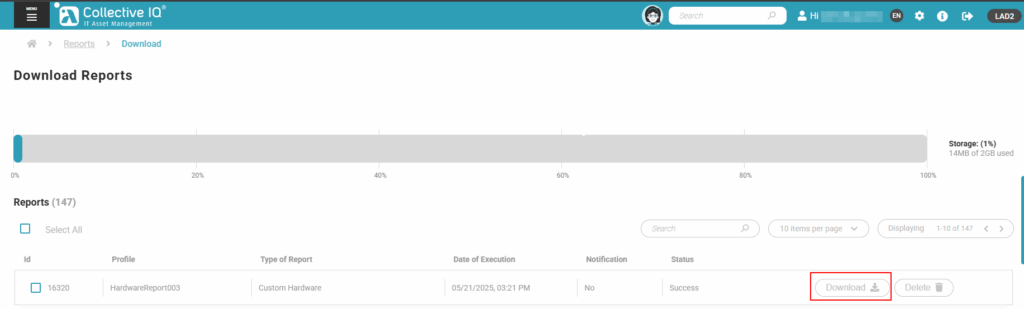
When the data consolidation is complete, the files become available for download in a “.csv” format.
Fields
This field allows the selection of all available attributes for building Desktop hardware reports, organized by category:
GENERAL:
General device information such as identification, department and hierarchy, operating system, architecture, processor (type, generation, frequency, cores), memory, dates (creation and last modification), asset description, and last logged-in user.
FILE SYSTEM:
Storage data, including total and used capacity, partitions, free space, file system type, disk health, and encryption status (BitLocker).
HARDWARE:
Physical device details such as manufacturer, BIOS, motherboard, serial number, chassis, and battery.
MEDIA:
Information about physical storage devices, including model, manufacturer, serial number, capacity, and type.
MONITOR:
Connected monitor data, including manufacturer, serial number, size, resolutions, and frequencies.
NETWORK:
Network settings such as IP, MAC, gateway, DNS, DHCP, subnet mask, domain, and most frequently used user.
SLOTS:
Information about physical and memory slots, including total, available, and descriptions.
USB:
List of USB devices.
VIDEO:
Installed video adapters.
WARRANTY:
Warranty information, including start and end dates and service description.
CUSTOM FORMS:
Custom forms that can be included in the report along with standard hardware fields.
