Microsoft Windows – Script for installation via GPO
Script for installation via GPO
This guide provides a step-by-step procedure to deploy the Desktop Agent and Server Agent on Microsoft Windows environments using Group Policy Object (GPO) with a startup script. This method enables centralized, automated, and silent installation across multiple devices in a domain environment.
Prerequisites
Before starting, ensure:
- The installation package (.exe) is accessible via a network share (UNC path)
- Domain environment with Active Directory configured
- Administrative privileges to create and edit GPOs
- Target machines are domain-joined
Prepare the Installation Package
- Place the installer in a shared folder: \\server\GPO\DesktopAgent.exe
- Ensure:
- Read permission for Domain Computers
- Network path is accessible from target machines
Download the installation script for GPO
Required Script Changes
To ensure the Desktop Agent installation process is properly adapted to the customer’s environment, it is recommended to review and customize the following settings before deploying the script to production.
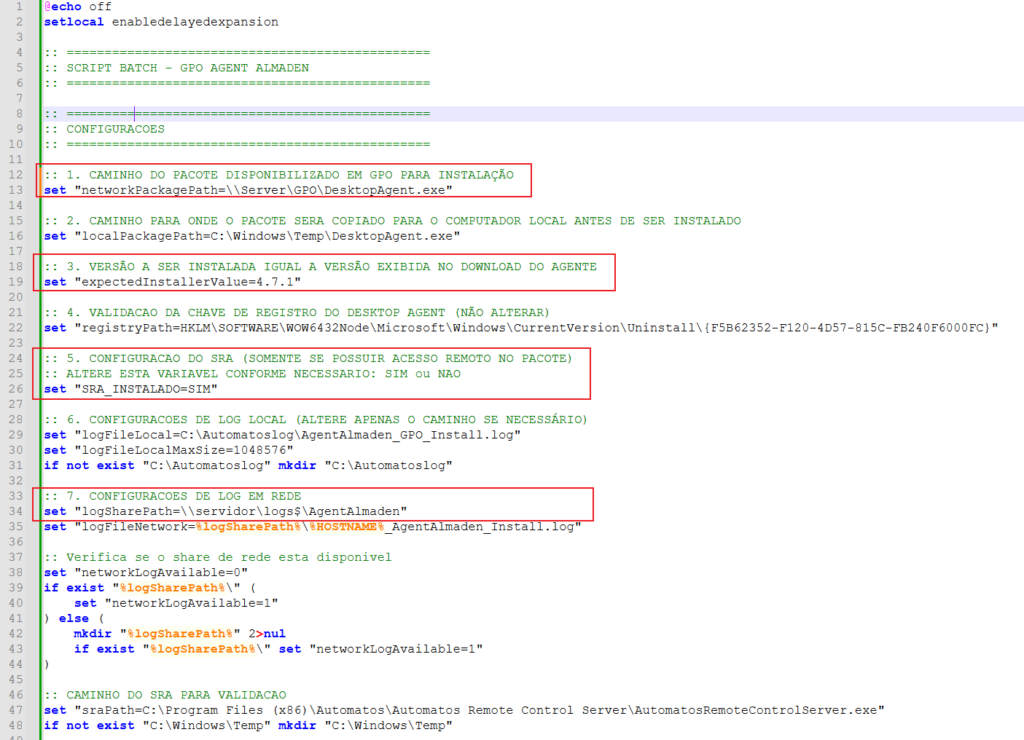
Option 1 – Installation Package Path
Variable: networkPackagePath
This setting defines the location where the Desktop Agent installer is stored. It is recommended to update this value to the correct path of the installation package provided by the customer, ensuring that the file is accessible during script execution.
Option 3 – Expected Installation Version
Variable: expectedInstallerValue=4.7.1
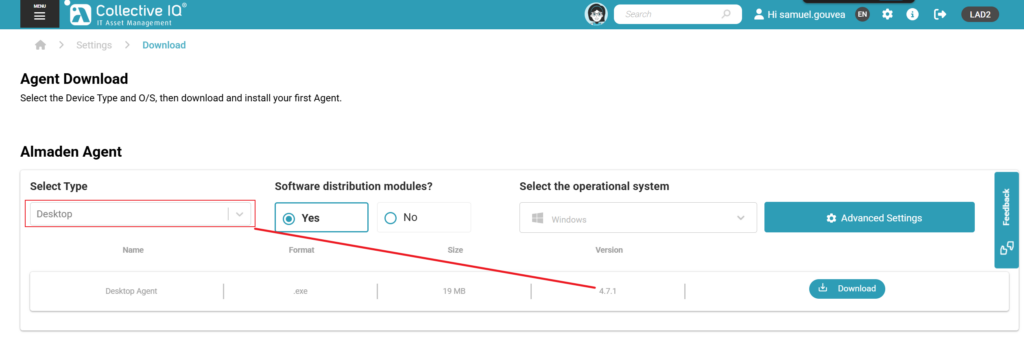
This setting specifies the Desktop Agent version that will be validated and installed by the script. It is recommended to update this value so that it exactly matches the version of the installer being deployed, as indicated in the download page or release documentation.
CIQ ITAM> Menu> Settings> Agent Download
Option 5 – SRA Configuration
Variable: SRA_INSTALADO
This setting indicates whether the installation package includes the Remote Access (SRA) component. It is recommended to configure:
SIMwhen the package includes the Remote Access module.NAOwhen the environment does not use this feature.
An incorrect configuration of this option may cause unnecessary validation failures during the installation process.
Option 7 – Network Log Configuration
Variables: logSharePath and logFileNetwork
These settings define the network share used to centrally store installation logs. It is recommended to update the path to a valid network share within the customer’s environment and ensure that the target computers have the appropriate read and write permissions.
Note
The remaining script settings should not be modified unless specifically instructed by the deployment team. Changes to internal parameters may affect the proper execution, validation, and installation of the Desktop Agent.
- Must be a network path (UNC), not a local path
- Target machines must have read permission
- The file must be accessible during system startup (GPO execution)
How the Script Works
- Checks if the agent is already installed
- Reads the installed version from Windows Registry
- Compares with the expected version
- If different or missing → installs
- If equal → skips installation
This prevents unnecessary reinstalls and ensures version control across the environment.
LOG
Default local path: C:\Automatoslog\AgentAlmaden_GPO_Install.log
Network path: Variable “logSharePath”
Example
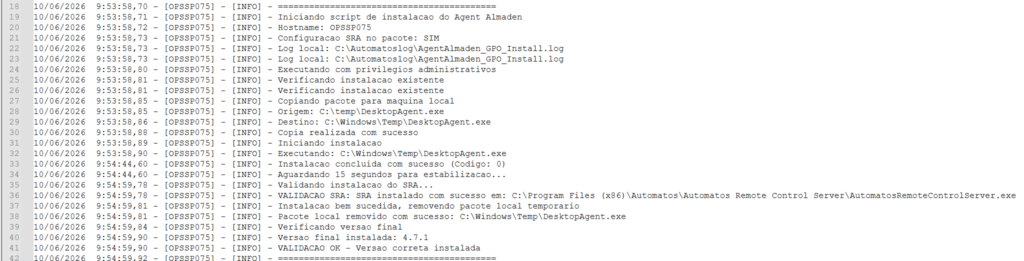
New installation
Update
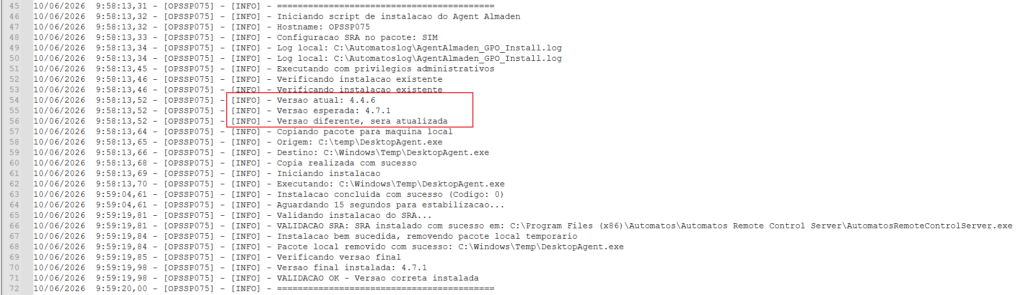
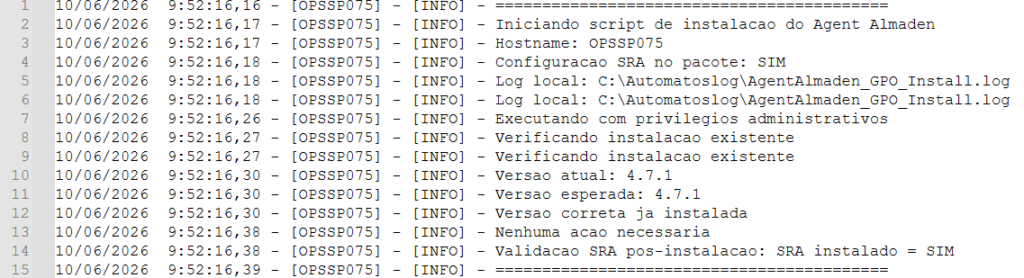
Same version